
How much Deskrawl earns while you are away: the 8-hour offline cap, the mob-rate curve by level, and the Life Skills nodes that push the cap higher.
Deskrawl Offline Rewards: The 8-Hour Cap and How to Raise It
It is genuinely idle, and the offline system has hard numbers attached to it. GameConfig.OfflineTimeCapHours is 8 in the 1.0 launch build, and three Life Skills nodes on one branch raise that to 16. What you accumulate while away is kills, and the kill rate is a four-knot curve in the same config asset: 70 mobs an hour at level 5, a flat 470 from level 20 through 40, and 690 from level 60 on. What those kills are worth in gold is the one figure nobody has — the developers never published it, and the shipped configuration does not contain it either.
What the players asked, and the answer they got
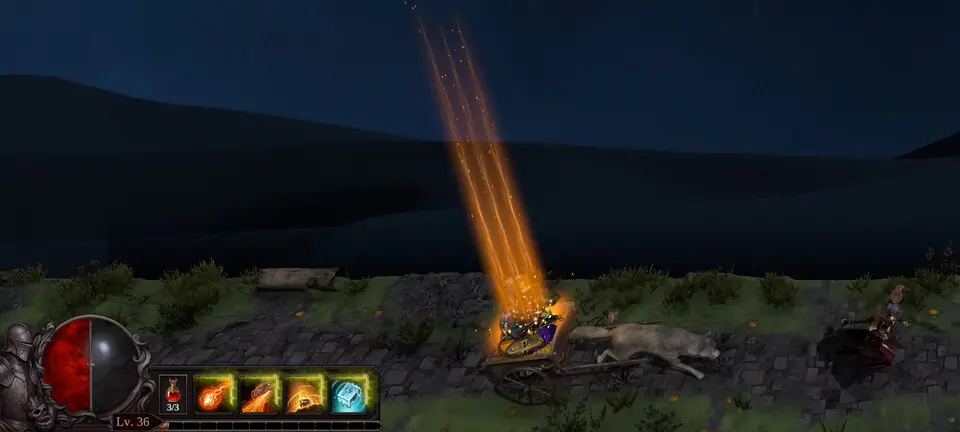
"How idle is it? I keep seeing these faux idle games that require your constant interaction and that's just not the spirit of the genre. Capturing monsters is fine if it's just a once in a while thing, but are you constantly required to interact?"
Official source: Steam discussion — "QUESTIONS!", posted 29 September 2026
The first reply in that thread is the shortest honest answer the game has: "Its extremely idle. The further you go the more afk it gets." A second reply draws the line exactly where the data does — "The only non-idle parts of the game are managing your equipment and stuff in town." A later poster in the same thread adds the caveat nobody can fix from config: "Is it just me, or does it not auto-advance to the next stage when I'm done with a stage? I have to click to go to the next stage. I have to keep rerunning stages to be 'idle.'" There is no auto-advance field in the shipped map or life skill data, so that one is real.
The 8-hour cap, and where the number lives
OfflineTimeCapHours is a plain float on the game's single master config asset, set to 8. It is a data value, not a hardcoded constant, which is why a Life Skill can move it. The offline summary panel is built around it too: the interface table ships UI.OfflineReward.Title ("Your Offline Rewards"), UI.OfflineReward.RewardedTime ("Rewarded Time"), UI.OfflineReward.LimitReached ("Limit reached") and a UI.OfflineReward.TimeWithCap format string of {0} / {1} — so the panel shows credited time against the cap as a fraction, and a separate line when you have hit it. The Life Skills panel carries a matching row, UI.LifeSkills.OfflineCap, labelled "Offline Reward Limit".
| Where it shows up | Field or key | Value in the 1.0 build |
|---|---|---|
| Master config | GameConfig.OfflineTimeCapHours |
8 |
| Reward panel, credited time | UI.OfflineReward.TimeWithCap |
{0} / {1} |
| Reward panel, cap warning | UI.OfflineReward.LimitReached |
"Limit reached" |
| Life Skills panel row | UI.LifeSkills.OfflineCap |
"Offline Reward Limit" |
| Cloud save payload | CloudClient.OfflineRewardPayload.capMinutes |
long, minutes |
The payload stores minutes and capMinutes as two separate values, which is the shape you get from "credit the lesser of time-away and cap". Nothing in the shipped data resets the counter on a schedule, so a login every four hours banks the full eight every time and a single overnight login banks eight once.
Raising the cap: three nodes, eight extra hours
Three LifeSkillNodeData assets on one branch raise the cap, and they form a straight line — no branching, no choice. Two of them are the same node with the same name, which is the single most confusing thing about this tree.
| Node asset | Name in game | Effect asset | Hours added | Gold | Prerequisite | Notable | Locked in demo |
|---|---|---|---|---|---|---|---|
LifeSkill 33 |
Expedition Supplies I | IncreaseOfflineCap1 |
+2 | 20,000 | LifeSkill 10 (Gold Find I) |
no | no |
LifeSkill 42 |
Expedition Supplies I | IncreaseOfflineCap1 |
+2 | 35,000 | LifeSkill 33 |
no | yes |
LifeSkill 65 |
Expedition Supplies II | OfflineCapNotable |
+4 | 50,000 | LifeSkill 42 |
yes | yes |
Both LifeSkill 33 and LifeSkill 42 point at the same effect asset, IncreaseOfflineCap1, and the Life Skills localisation table is keyed by effect-asset name — 36 keys for the 36 effect assets in the build, plus one leftover string for a filter effect that no longer ships. So the panel resolves both nodes to the same string and you will read "Expedition Supplies I" twice on the same branch while the tooltip reads "+2" both times. It is a content bug, not a misread on your part: 8 + 2 + 2 + 4 = 16 hours.
The gate in front of them is a chain of four purchases, none of which is a dedicated offline node: Auto Recovery (the tree root) → Gold Find I, 150 gold → Gold Find I again, 5,000 gold → Expedition Supplies I at 20,000. Adding the remaining two nodes takes the full branch to 105,150 gold.
Separately, offline rewards have to be switched on at all. LifeSkill 5 — Expedition Camp, 750 gold, off XP Gain I — sets LifeSkillEffect_FeatureFlag with Features: 5, and 5 is LifeSkillFeature.OfflineRewards in the game's own enum. Its official description is the whole offline rule in one sentence: "Your character keeps hunting while you are away. Gold and experience accumulate based on the highest area you have unlocked, and are collected the next time you enter town." Turning it on costs 900 gold including its parent. The Life Skills tree guide maps the rest of the 85 nodes.
Kills per hour: the four knots
OfflineMobsPerHourKnots is an array of Vector2Int pairs on the same config asset — x is your level, y is mobs per hour. Four knots, two plateaus:
| Your level | Mobs per hour | Between which knots |
|---|---|---|
| 5 | 70 | first knot |
| 10 | ~203 | 5 → 20, +26.7 per level |
| 15 | ~337 | 5 → 20, +26.7 per level |
| 20 | 470 | second knot |
| 30 | 470 | flat, 20 → 40 |
| 40 | 470 | third knot |
| 45 | 525 | 40 → 60, +11 per level |
| 50 | 580 | 40 → 60, +11 per level |
| 60 | 690 | fourth knot |
Read that as a straight line between knots, which is the ordinary reading of a knot curve. The plateau from level 20 to 40 is the interesting part: twenty levels of character growth, no offline-rate growth at all. Doubling your damage in that window changes nothing about what you bank overnight, which means offline farming there is a pure time trade.
What the cap costs, in mobs:
| Mobs per hour | 8-hour cap (base) | 16-hour cap (all three nodes) | A full 24 hours |
|---|---|---|---|
| 70 (level 5) | 560 | 1,120 | 1,680 |
| 470 (levels 20-40) | 3,760 | 7,520 | 11,280 |
| 690 (level 60+) | 5,520 | 11,040 | 16,560 |
A level 60 character is owed 16,560 mobs for a full day of idling. The base cap pays a third of that; all three nodes pay two thirds. Nobody reaches a full day.
Deskrawl ships with obfuscated method bodies — the code that samples OfflineMobsPerHourKnots returns null in the decompiled assembly, the same as the seven predicates on the player life skill book. The four knots, the field names and the types are all readable in the asset; the interpolation between them, and what happens below level 5 or above level 60, is inference, not a measurement.
What the offline reward is made of
The clearest statement of the offline payout is the struct the game sends with a cloud save. It is defined inside CloudClient and named OfflineRewardPayload:
| Field | Type | Meaning |
|---|---|---|
minutes |
long | Time actually credited |
capMinutes |
long | The cap in force at the time |
mapId |
string | Which map the credit belongs to |
gold |
int | Gold awarded |
xp |
long | Experience awarded |
levelBefore / levelAfter |
int | Levels gained across the absence |
paragonBefore / paragonAfter |
int | Paragon gained across the absence |
There is no item field, and the panel that presents the reward has exactly three row groups — GoldRow, XPRow, LevelRow — plus a level-delta and a level-gain readout, and nothing else. The official data model for offline earnings is gold, experience and the levels that experience bought. A community answer in the "Multiboxing?" thread put the open question plainly: "you can buy a life skill that allows chars to keep grinding exp/gold while offline. Not sure if items are added with later upgrades." Nothing in the build answers it.
The one constant that bridges kills to gold is OfflineMobsPerGoldRoll, a float set to 4 — four mobs consumed per gold roll. For contrast, a live normal-mob kill in LootConfig rolls GoldDropChance: 0.3 with GoldMultiplier: 2 and RollAttempts: 1, plus a full item vector. Offline skips the item vector entirely and batches gold four kills at a time.
There is no gold-per-mob amount anywhere in GameConfig, LootConfig or ItemizationConfig — the search for one comes back with costs and bonuses only. A fan database publishing an "offline gold per hour" table is publishing a number the game does not contain. This page gives you kills per hour and the cap, and stops there.
Difficulty does scale gold, and it is the one lever that moves an offline payout without touching the cap: GameConfig.DifficultyTiers gives Nightmare GoldBonusPerMapLevel: 0.005 and ExpMultiplier: 1.5, Inferno 0.01 and 2, against Normal's zero and 1. Whether the offline path applies those two fields is inside the same stripped code, so treat it as unconfirmed until you measure it. What the tiers change for certain is covered in difficulties and Inferno.
The kills you need, and the kills you get
GameConfig also stores the mobs required to level up, at five checkpoints. Read against the curve above and you can see exactly where offline idling stops keeping up:
| Checkpoint | Mobs to advance | Mobs per hour at that level | Hours of offline idling |
|---|---|---|---|
| Level 1 | 2 | 70 | under a minute |
| Level 5 | 35 | 70 | half a minute |
| Level 15 | 900 | ~337 | ~2.7 hours |
| Level 50 | 20,000 | ~580 | ~34.5 hours |
| Max level (70) | 50,000 | 690 | ~72.5 hours |
The curve steepens by three orders of magnitude across the run while the offline rate grows by about ten times. That gap is the answer to "why does idling stop carrying me" — it is not a bug, it is the shape of two config fields, and the cap of 8 or 16 hours is what makes it bite. Two more fields belong to this family: XpZeroUnderLevel is 6, which reads as the level gap at which experience stops flowing, and past the cap of 70 the paragon curve takes over, starting at 25,000 mobs for the first paragon level and rising to 242,191 by paragon 50.
Where the offline reward goes depends on which area you left open. The node's own text says the highest unlocked area sets the rate, and mapId in the payload records the map the credit is booked against, so the zone order is also an offline-farming decision.
The automation checklist: what you never click again
Six feature flags in LifeSkillFeature are the whole "the game plays itself" layer, and every one of them is bought with gold on the same tree:
| Flag | Value | Life Skill node | Cost |
|---|---|---|---|
AutoTownRecovery |
0 | root node, LifeSkill |
— |
AutoTownPotionRefill |
1 | LifeSkill 11 (Auto Refill) |
500 |
CarriageAutoFillInventory |
3 | LifeSkill 35 (Auto-Fill Inventory) |
6,000 |
CarriageAutoSell |
4 | LifeSkill 9 (Equipment Auto-Sell) |
1,500 |
OfflineRewards |
5 | LifeSkill 5 (Expedition Camp) |
750 |
CarriageAutoSalvage |
6 | LifeSkill 58 (Equipment Auto-Salvage) |
35,000 |
There is no flag 2 in the enum. With those six bought, the remaining manual work is town management, moving between maps by hand, and capturing minions — which is the one activity that is deliberately not automated, since it needs a drop. The beginner guide puts these in the order you should buy them in your first hour.
In a bug thread opened on 30 June 2026, a player wrote: "test left the game run idle all night - in the morning, the Carriage is full.. check my character inventory and there's nothing in it.. seems not working." Three later replies — 11, 18 and 22 September 2026 — report the same thing, so it outlived the beta. The same complaint appears in the main idle thread. This is community-reported, not confirmed by the developers, and it is the one automation node where the 6,000 gold is at risk.
Version scope
Every number on this page is read from the 1.0 launch build (2026-09-28) assets. The live build is on patch 1.0.0g, and those patch notes change drop rates by equipment slot, cut about 130MB of memory use, and fix several bugs — none of them touch OfflineTimeCapHours, OfflineMobsPerHourKnots or the three life skill nodes, so the cap should still read 8 in game. That is an inference from the patch text, not a re-read of live data. The window mode that makes long sessions bearable — resizable width, a drag widget, and a taskbar button — arrived in patch 0.1.9 on 16 June 2026; the memory and performance page covers running it all day.
FAQ
How idle is Deskrawl, really? Do I have to keep clicking? Mostly not. Offline hunting, auto-sell, auto-salvage and carriage overflow are all shipped features you buy once. What is still manual: moving between maps, town and inventory management, and capturing minions.
How much gold do I earn while offline? Nobody can give you that number. The build contains mobs per hour and a four-mobs-per-gold-roll constant, and no gold amount per mob anywhere. Kills per hour are in the table above; the gold total is officially not published.
Does the 8-hour cap reset every day? No. It is credited per absence, as the smaller of time away and the cap. The payload stores both values. Logging in every four hours banks eight hours each time.
Can I raise the 8-hour cap? Yes, to 16. Three nodes on the Gold Find branch add 2, 2 and 4 hours for 105,150 gold in total, and Expedition Camp at 750 gold is what switches offline rewards on in the first place.
Do I get equipment drops while offline? The offline payload has no item field and the reward panel has gold, experience and level rows only. Whether later nodes add drops is open — a player in the Multiboxing thread asked the same question and got no answer.
Should I leave the game running instead of closing it? Closing it is the point of the offline system. If you want it visible while you work, patch 0.1.9 added a resizable, draggable window, and Steam Deck players have a working Proton setup.
Related Guides
- Deskrawl Life Skills Tree: What to Unlock First — the other 82 nodes, including the four automation switches that cost less than the offline branch.
- Deskrawl Gold Farming: Where Gold Actually Comes From — what to do with the gold, and where the live rates come from.
- Deskrawl Zones and Level Order: The Real 11-Area Progression — the highest unlocked area sets your offline rate, so this is a farming decision too.
- Deskrawl Beginner Guide: What to Unlock in Your First Hour — Expedition Camp and the carriage automation, in purchase order.
- Deskrawl Patch Notes: Every Official Update — the full archive, so you can check whether a cap change has landed since this page was written.
More Deskrawl: Idle ARPG Guides
The 1.0 release raised the cap from 35 to 70, expanded the talent tree, reworked Life Skills and added a Paragon tab. Demo saves are wiped.
Demon Skulls are the only entry currency, and the rule is odd: entry only checks your balance, and the skull is deducted after you clear the stage.
Deskrawl has exactly three difficulties. Inferno multiplies enemy HP sixfold and is the only tier that drops Divine gear, rune sets and Mythic content.
The real Deskrawl loot table from the 1.0 build — 87-95% no-drop rolls on trash mobs, chest contents, and what patch 1.0.0g actually changed.
The verified Deskrawl +10 upgrade table: four guaranteed levels, then 75%, 50%, 40%, 30%, 20% and 10% — plus the material each slot needs.
The 68 official Deskrawl stat affixes and the per-slot roll pools, plus the 11-vs-12 equipment slot puzzle solved: rings occupy two slots.
Exact Deskrawl socket costs from the 1.0 build: 100 ore plus 400 gold per item level, level 30 to unlock, and the five slots that cannot be socketed.
There is no gold map in Deskrawl. Gold comes from offline mob rolls scaled by difficulty bonus, Life Skills gold find, and the lucky wheel.